In this guide: We explore the different types of marriage biodata formats, why the layout of your profile matters just as much as the content, and how to choose a template that reflects your personality perfectly.
Marriage Biodata Formats & Templates: Choose the Right Design
The days of sending a plain, unformatted Word document to prospective families are over. In today's highly visual world, the way you present your information speaks volumes about your attention to detail and your personality. A beautifully formatted marriage biodata naturally draws completely different responses than a cluttered, disorganized one.
Why Formatting Matters
A marriage biodata is essentially your personal marketing document. When a family receives your profile, they instinctively form an impression within the first five seconds. If the fonts are mismatched, the margins are uneven, and the photo is stretched, it signals a lack of care.
Relying on professionally designed marriage biodata templates ensures that your information is structurally sound, perfectly aligned, and visually appealing.
Popular Marriage Biodata Formats
Biodata designs typically fall into three primary categories. Choose the one that aligns best with your community expectations and personal taste:
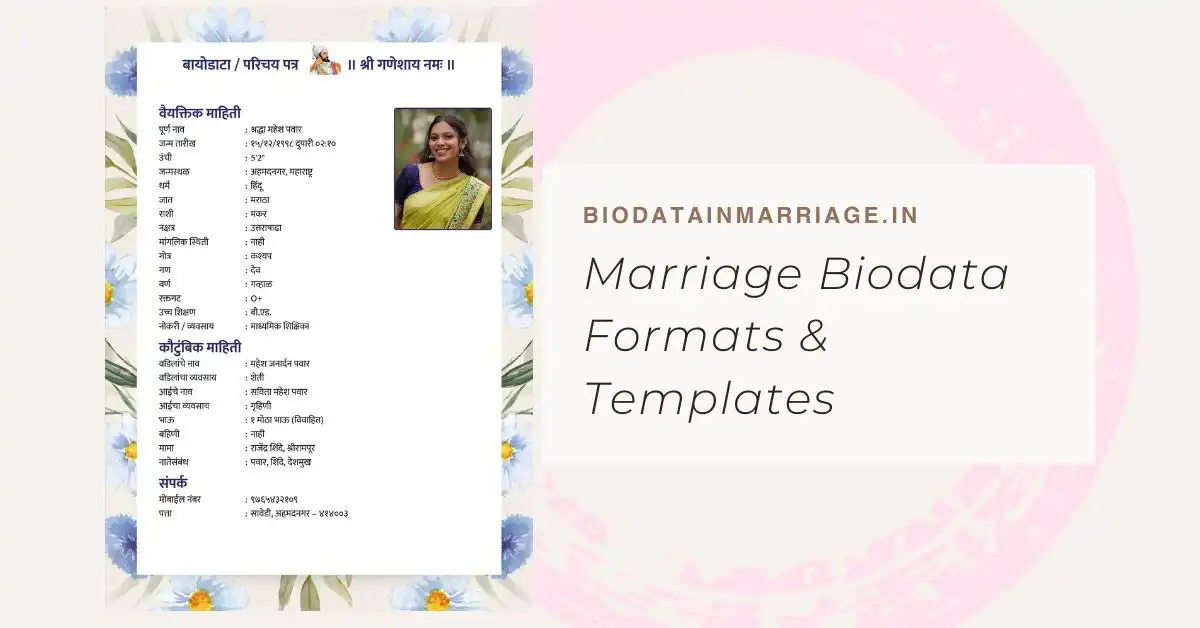
- 1. Traditional & Floral Formats Highly popular across Indian communities, these formats feature ornate borders, subtle floral watermarks, and religious motifs (like the Swastika or Om). They instantly convey cultural respect and traditional values.
- 2. Modern & Minimalist Formats Characterized by clean lines, ample white space, and elegant typography. Modern formats appeal to urban professionals who prefer a straightforward, resume-like aesthetic without heavy ornamentation.
- 3. Color-Block & Contemporary Formats These layouts use soft pastel backgrounds or split-screen designs (e.g., photo on the left, details on the right) to organize information visually. They stand out immediately from standard white backgrounds.
Word Documents vs. PDF Templates
Many people still attempt to build their biodata in Microsoft Word. The major downside to sending a Word file (.docx) is that formatting breaks depending on the device. A font that looks great on your laptop might default to a chaotic mess when opened on an older Android phone by a matchmaker.
This is why relying on a dedicated tool that generates a PDF format is infinitely better. PDFs lock down your fonts, margins, and photos. The person receiving your biodata will see exactly what you designed, regardless of their device.
How to Use Our Templates
You don't need Photoshop skills to create a stunning profile. We provide a curated selection of templates designed specifically for matrimony. Simply follow the guide on what to include, fill out your details in our builder, and switch between templates with a single click until you find the perfect match.
Browse Our Premium Templates
Ready to elevate your profile? Browse our hand-crafted, easy-to-use template designs.
View All TemplatesFrequently Asked Questions
Which biodata format is the most popular?
The split-screen modern format (with the photo and personal details on the left, and family/career details on the right) is currently the most popular because it is incredibly easy to read.
Can I edit my template after generating it?
Yes. If you use our online builder, you can log back in, update your salary or job title, and instantly generate a new, updated PDF using the same template.
Should the background be white or colored?
Both are acceptable. A crisp white background is classic and safe. However, a soft offline color like pastel peach or light gray can make your template look far more premium.